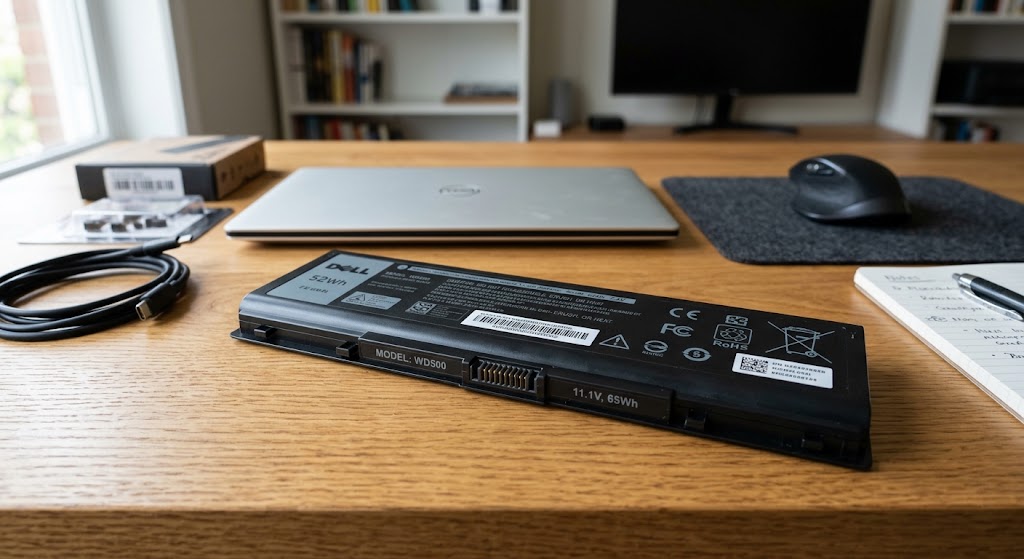
A laptop’s biggest advantage is its battery, just like mobile phones or iPods. And it is precisely the battery which is the most controversial accessory, because there is great uncertainty around the best way to maintain it.
So today we will see how to increase the life of a laptop battery.
Read the Manual
This is the most important step, because the manual that comes with the laptop explains how each model of the brand works. This is particularly the case for the first recharge of the battery; how much attention this first recharge requires. So always read the manual and search for information on the internet regarding the battery of the laptop model. You should find this easily on the manufacturer’s website.
Charging and Discharging
Some laptop users tend to let their battery discharge completely before reconnecting it to the mains. But this habit can damage the battery, because partial recharges are better than a complete discharge. Using a laptop battery to its limit will waste complete cycles of the component, dramatically reducing its lifespan. In fact, cycles are counted independently of complete recharge or discharge.
The latest generation batteries are made of lithium-ion and have a chip that analyzes recharges. The chip stops charging when the battery reaches a voltage limit, and blocks current flow when the battery is almost discharged, preventing it from completely discharging. It is also possible to disconnect the battery from the mains before it has fully recharged, because lithium-ion does not have the famous “memory effect” that old batteries, made with nickel, have.
Calibration
To always have a well-tuned battery chip, laptop manufacturers recommend a maintenance process of one to three times per month. The process consists of completely recharging and discharging the battery, until the laptop turns off by itself. These measurements allow the control chip to self-calibrate.
Another Battery?
All computers (laptops and desktops) have a second internet battery, also lithium, but which cannot be recharged. It is this battery that ensures that the computer’s memory retains important information such as motherboard configuration, time and date.
This battery has a lifespan of 1 to 2 years, we recommend changing it regularly. Indeed, if we let it reach the end of its lifespan, the computer will no longer turn on.
Temperature
Heat is one of the worst enemies of battery performance because it damages lithium-ion cells. So never leave your laptop in hot places, or in a car in the sun. Leaving a laptop on on a bed, on soft surfaces, and even on your lap will damage the battery, because the ventilation areas are blocked and can cause excessive heating. Humidity is another harmful factor for the laptop, we recommend not using it at the beach or swimming pool.
The ideal is for the laptop to stay as close to 22ºC as possible – at room temperature – but a temperature between 10ºC and 35ºC is also acceptable.
Update
Keep your operating system and software up to date, this helps conserve battery life. Modern software optimizes processes, which requires less energy resources.
Increase the RAM of the laptop, the processor will be less used, and so will your battery.
Another tip to improve your computer’s processes is to defragment your hard drives regularly, especially if you use Windows. This way the hard drives will need to rotate less to find the information they are looking for.
EMERGENCIES
Do you need to use the laptop, there is no power outlet and the battery is almost completely discharged? It is possible to optimize what energy remains by lowering the screen brightness and turning off WiFi and Bluetooth connections. Also take out the CDs and DVDs and disconnect all accessories (USB keys, external mouse, etc.). Avoid using resource-intensive programs (PhotoShop or 3D Max). Configure your programs so that they do not open when the computer starts. It is better to open software manually than to have to close them all as soon as the computer starts.
Ideal Configuration
All operating systems offer a laptop power setup menu. By correctly configuring this option, you can increase the autonomy of your battery, as well as its life expectancy. On Mac computers, simply click on the battery in the menu and choose “Best battery life.”
Cleaning
From time to time, remember to clean your laptop. To optimize battery operation, clean the machine’s air outlets with a small vacuum cleaner or brush. This helps remove dust and debris that may accumulate on the processor and other components. For those who live in humid locations, be careful: sometimes the metal parts of the battery can accumulate dirt or zinc deposits, coming from oxidation caused by the chemical reactions that allow the battery to be recharged. If this is the case, clean this area with the eraser of a pencil.
Leave The Cell Phone Plugged In?
If you leave your laptop plugged in almost all the time, you can definitely remove the battery. Some experts say that using the machine plugged in can overheat the battery, decreasing its recharge capacity. Batteries have another advantage for laptops; they absorb variations in the electrical network which could damage the computer or cause loss of information in the event of an outage. Therefore, people who plug in their cell phones should always do so into outlets that have a voltage stabilizer.
Additional recommendation: Removing and replacing the laptop battery frequently can wear down the metal base and generate false contacts, which will not allow optimal use of energy.
Battery Storage
If you want to store your laptop battery, you don’t have to do it in any way.
The chip inside the battery that stores information about charging and discharging cycles generates consumption of approximately 5% per month, due to temperature and other environmental factors. It is therefore not a good idea to store a 100% charged battery, as this can deteriorate its recharge capacity. Likewise, do not store it if it is completely discharged because the chip may lose its information, preventing any subsequent recharge. Ideally, turn off the laptop when the battery is about 40% charged, and store the battery in a dry, dust-free place.
Refrigerated battery
We’ve all heard the story of people putting their batteries in the refrigerator to increase their lifespan. But cooling a battery does not recharge it. On the other hand, this preserves the charge because the chemical reactions inside the battery slow down with cold.
However, laptop batteries are more fragile than normal batteries, and humidity in a fridge or freezer can damage some of its components. So avoid this homemade recipe.
Replacement
Even if you follow these recommendations exactly, your laptop battery will die one day. Batteries lose 20% of their capacity every year, when the chemical reactions they generate gradually consume their internal components.
Batteries last on average between 300 and 800 charge cycles; between 2 and 3 years of use. If they are well maintained, they can last 5 years. If you need to change your battery, request specialized and official technical assistance to have a guarantee in the event of a problem.
Also, remember to check the manufacturing date of the battery of the laptop you are going to buy, or of the new battery you are purchasing. Although it has never been used before, the battery loses its capacity over time, and you could end up with a new laptop that runs out of battery in less than two…